
Compare a symbol across exchanges
Overview: This dashboard compares bid and ask prices for a single symbol across multiple exchanges. It is ideal for spotting pricing differences between Binance, HTX, and other exchanges.
Preview:
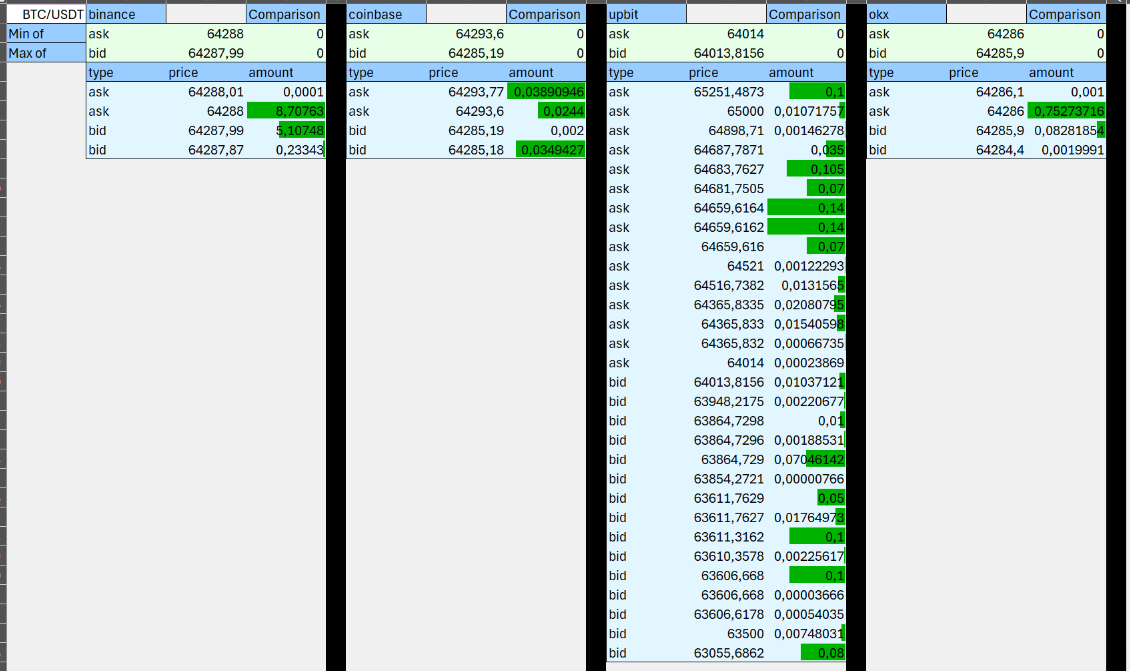
Key features:
- Connects Excel to multiple exchanges - Real-time bid/ask data per exchange - Automatic comparison of best bid/ask prices
Exchange reports:
- Ticker data (getTicker24h): fetches bid/ask data for each exchange. - Price comparison: calculates the min/max bid and ask across exchanges.
Inputs:
- Symbol selection - Exchange list (auto-filled)
Actions:
- Fetch exchange tickers - Compare prices automatically - Display min/max bid and ask for quick analysis
Notes:
- Use the auto-fill list to compare exchanges quickly.