LinkyFlow · WooCommerce

WooCommerce. Synced, in Excel or on the web.

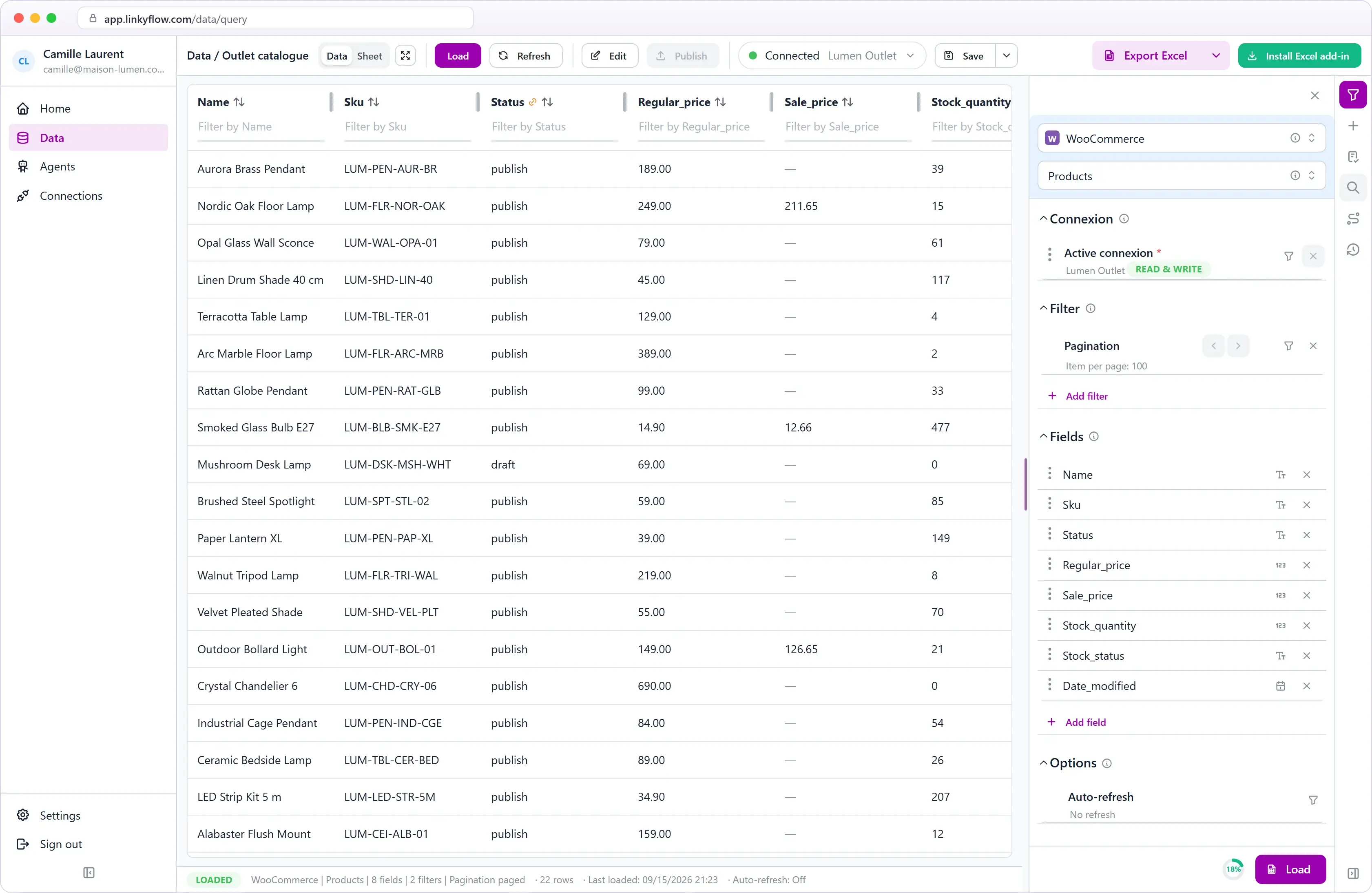
Every hour, an agent checks your WooCommerce stock against your master store, SKU by SKU, then reports, proposes or sets the quantity — depending on the mode you choose. Products, orders, customers and stock load into Excel or the web app — bulk edit rows, then publish supported changes back to WooCommerce.

WooCommerce products loaded in the LinkyFlow web app

Agent

hourly stock sync across your stores

Excel + Web

the same live tables in both

36

WooCommerce queries available

Agents that work with WooCommerce.

They run every hour on your connected account, report what needs attention, and their results open in Excel or in the web app.

  • Shopify
  • WooCommerce
  • eBay

Inventory Stock Sync Agent

Keeps stock quantities in step across your stores, with one master store as the only source of truth.

  • One master store, one or more targets
  • Exact SKU matching, never guessed
  • Guard-rails and a read-back on every write
View agent
Browse all agents

Every WooCommerce resource. One workbook.

Products, variations, categories, brands, attributes, orders, refunds, customers, coupons, taxes, shipping, store settings, webhooks, and reports — all available as structured Excel queries.

Products
Variations
Categories
Brands
Attributes
Orders
Refunds
Customers
Coupons
Tax rates
Shipping zones
Store settings
Webhooks
Reports
+ more

From catalog to publish.

The loop of exporting CSVs, editing in a spreadsheet, and re-importing into WooCommerce disappears. LinkyFlow makes it a single connected workbook workflow over the WooCommerce REST API.

Mass update prices and inventory in rows

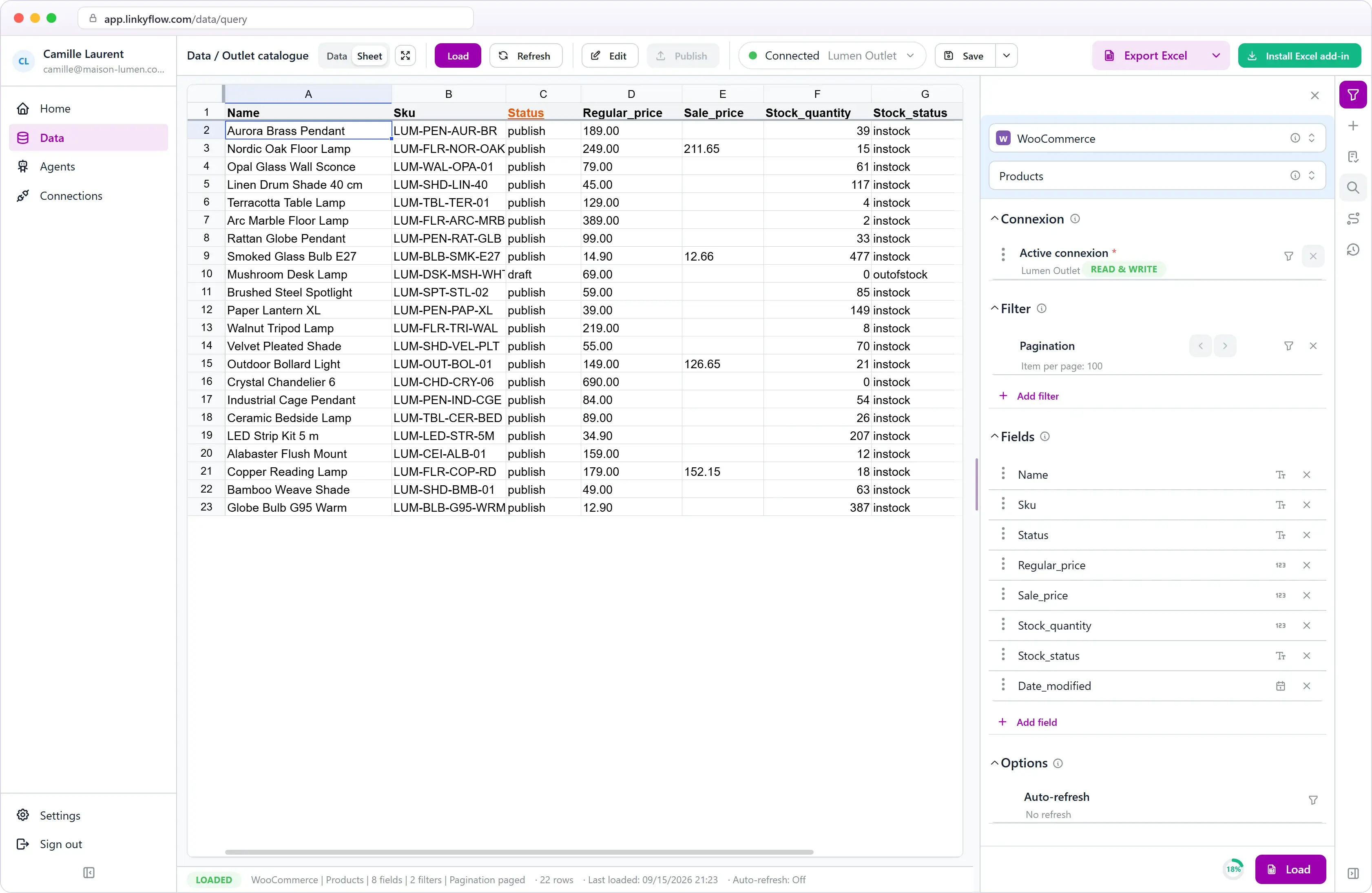
Edit regular price, sale price, and stock quantity across hundreds of products in Excel rows, then publish in one batch. Typing a stock quantity turns on stock management automatically — just like the WooCommerce admin.

WooCommerce products in the LinkyFlow spreadsheet view
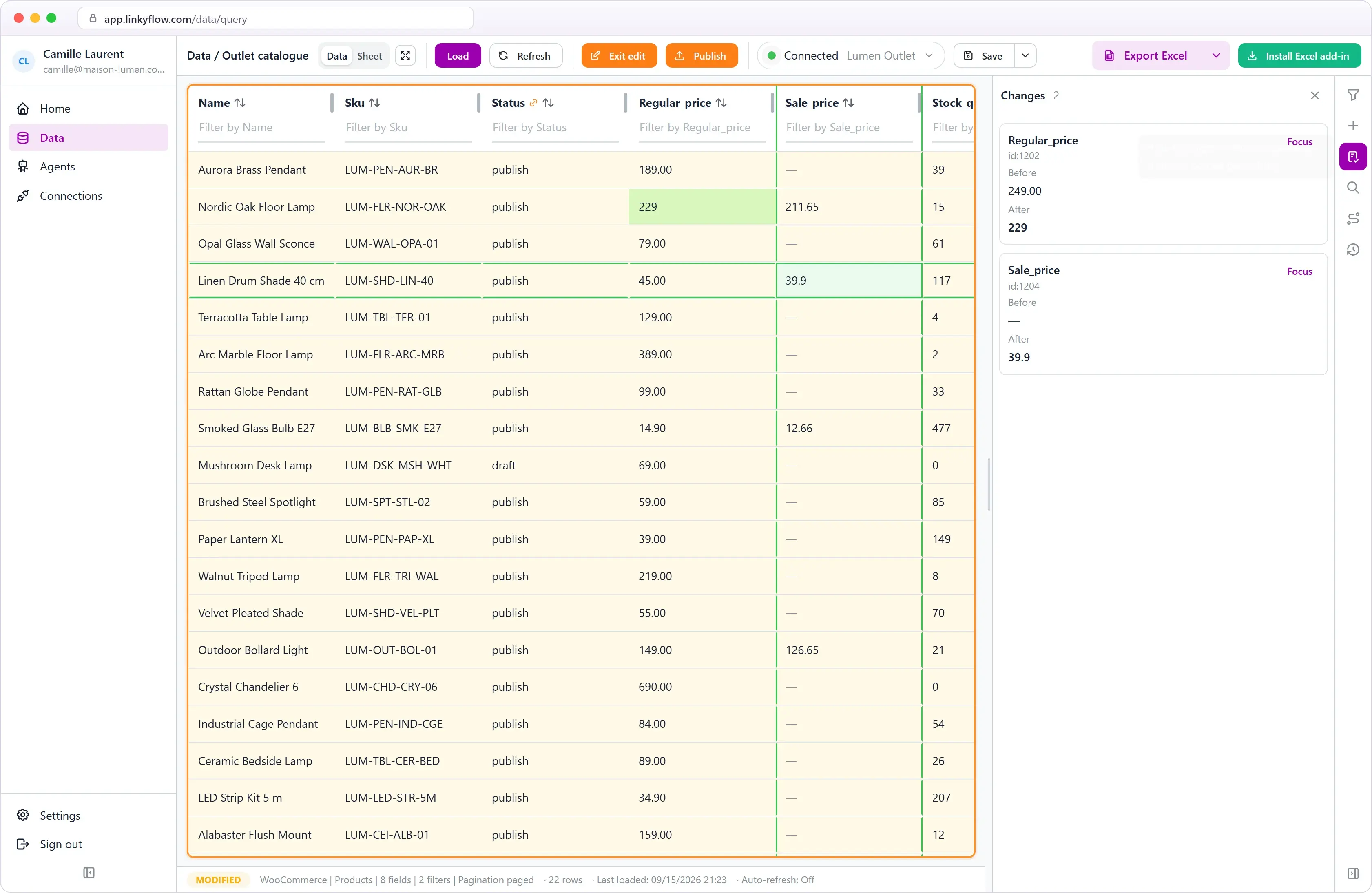
Pending WooCommerce price changes reviewed in LinkyFlow

Review every change before it reaches WooCommerce

Edited cells are highlighted and the Changes panel lists each value before and after. A value the field cannot take is refused in the cell, so price typos never reach your live store.

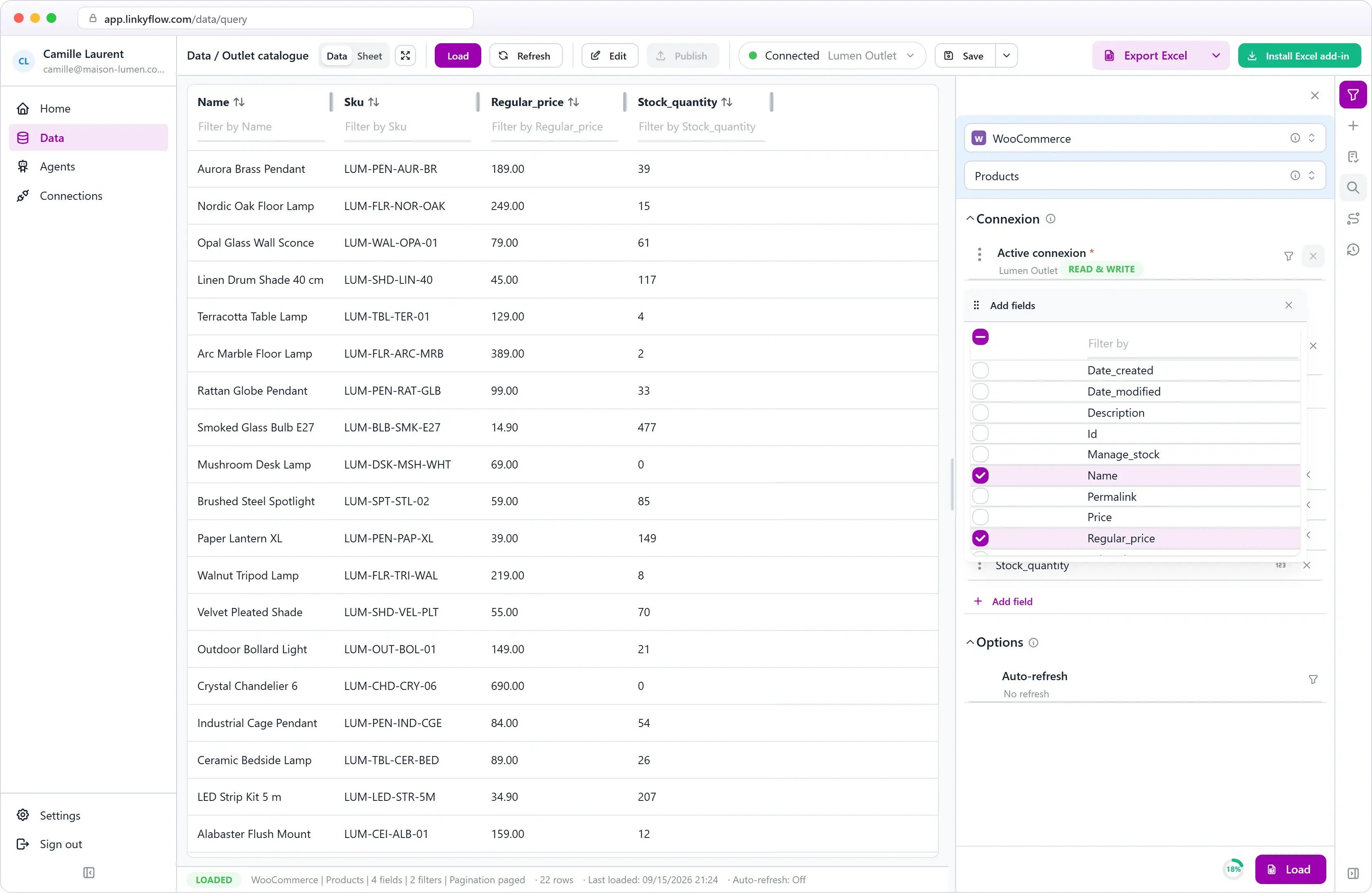
Load one page or the whole catalog

Page through results with the per-page control and arrows, or pick "All results" to pull your entire catalog in a single fetch — no manual CSV exports.

WooCommerce products query with field selection in LinkyFlow
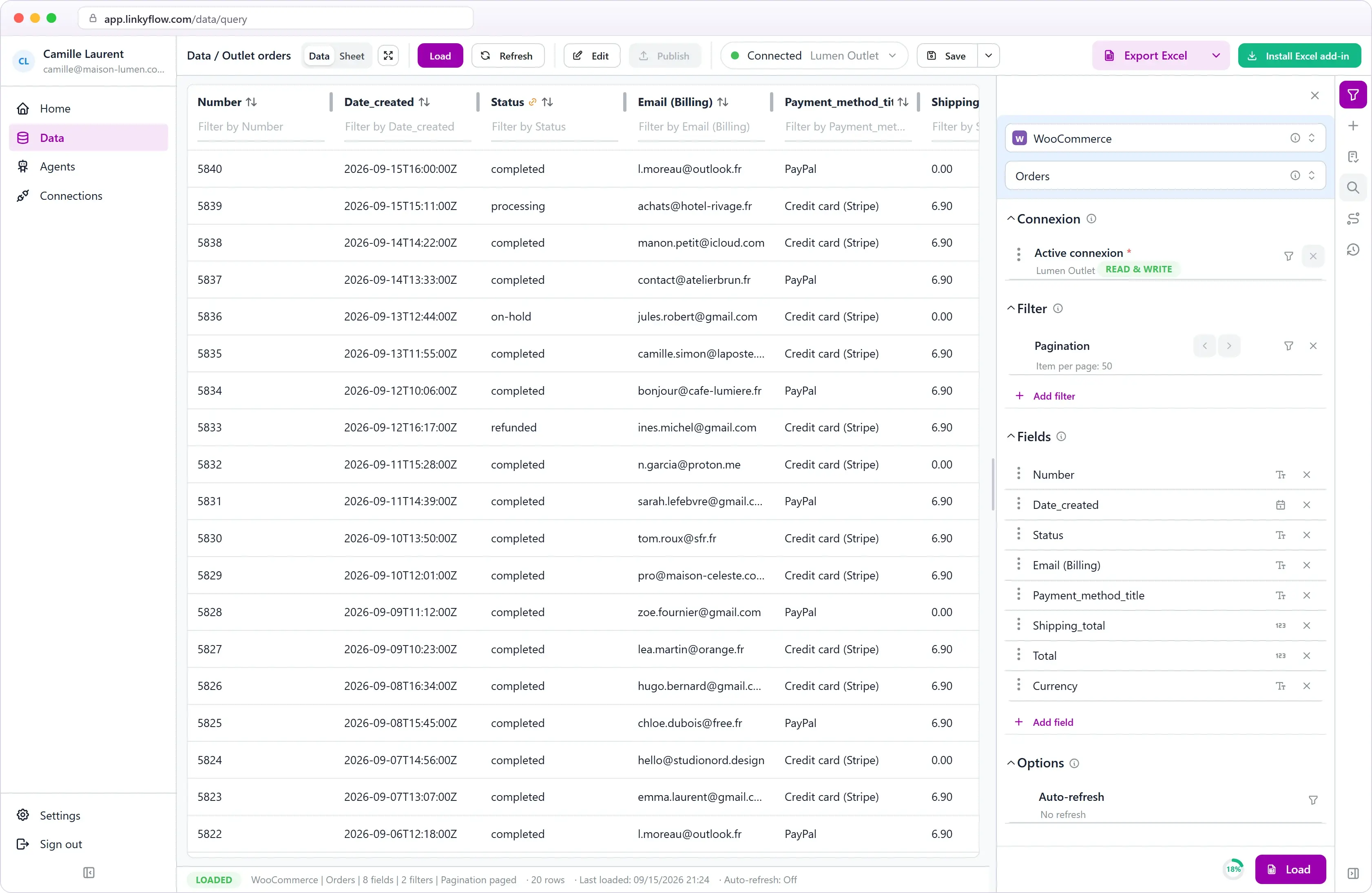
WooCommerce orders loaded in LinkyFlow

Orders, statuses and totals in one table

Load orders with their status, customer email, payment method, shipping and total, then sort, filter or export them to Excel in one click.

From install to first publish.

STEP 01

~5 min

Generate API keys

In WooCommerce → Settings → Advanced → REST API, create a Read/Write key. Copy the consumer key and secret.

STEP 02

~2 min

Connect in Excel or on the web

Add a WooCommerce connection with your store URL and keys — in the web app or in the LinkyFlow add-in.

STEP 03

~30 s

Load and publish

Pick a query, load products or orders, edit rows, and publish supported updates back to WooCommerce.

Your store. Your spreadsheet.

Connect your WooCommerce store, let an agent keep stock in sync, and manage your catalog in Excel or on the web.

Frequently asked questions

What WooCommerce data can LinkyFlow access?

Products, variations, categories, brands, attributes, prices, stock, orders, refunds, customers, coupons, taxes, shipping zones, payment gateways, store settings, webhooks, and reports — all as Excel queries.

Can LinkyFlow publish bulk updates to WooCommerce?

Yes. Prepare changes in Excel rows and publish in batches via the WooCommerce REST API — create, update, and delete are supported on most resources.

What do I need to connect?

A WooCommerce store served over HTTPS and a REST API consumer key/secret (Read or Read/Write). No plugins to install beyond WooCommerce itself.

Does it work with large catalogs?

Yes. Use the per-page control and arrows to page through data, or "All results" to load the entire catalog in one fetch. Filters let you load only what you need — by status, category, or search.