What can an agent do with my Shopify store?
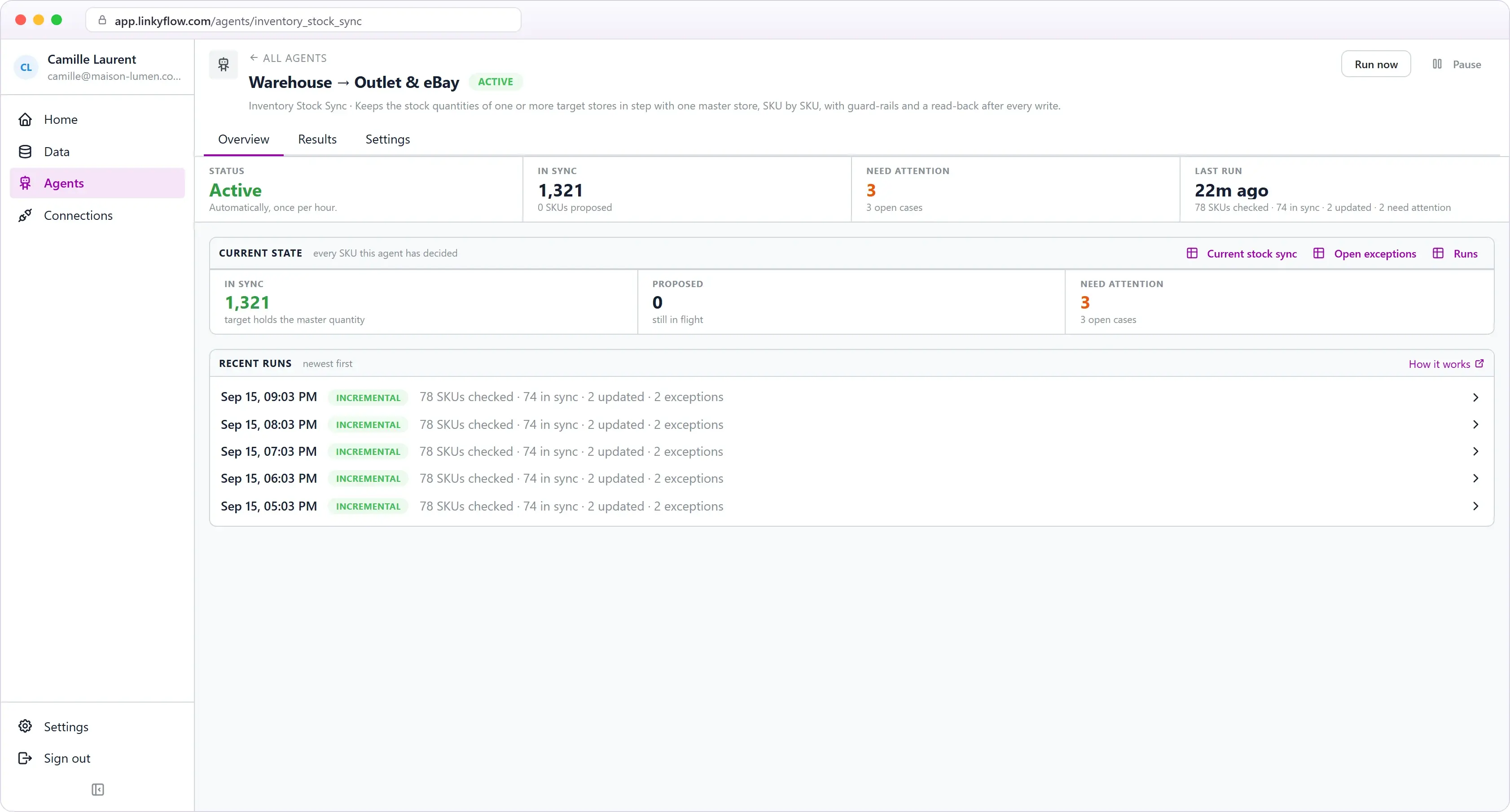
Two agents run on it, each once per hour on its own. The Shopify + Stripe Reconciliation checks every Shopify transaction paid through Stripe against the actual Stripe payment, verifies the amount and currency, retrieves the real fee and net amount, and flags what does not reconcile; it is read-only and never refunds, captures or edits anything. The Inventory Stock Sync compares stock quantities, by exact SKU, between a master store and your other Shopify, WooCommerce, eBay or BigCommerce stores; it starts in Monitor mode, and the only thing it can ever change is a stock quantity on a target store — in Auto mode, or when you approve a proposal.
What does "ask" mean here?
LinkyFlow speaks MCP, so ChatGPT, Claude and other assistants can read your store through your existing connection — recent orders, what sold, which payments reconciled — with your explicit authorization and without ever seeing a credential.
What Shopify data can I access from Excel?
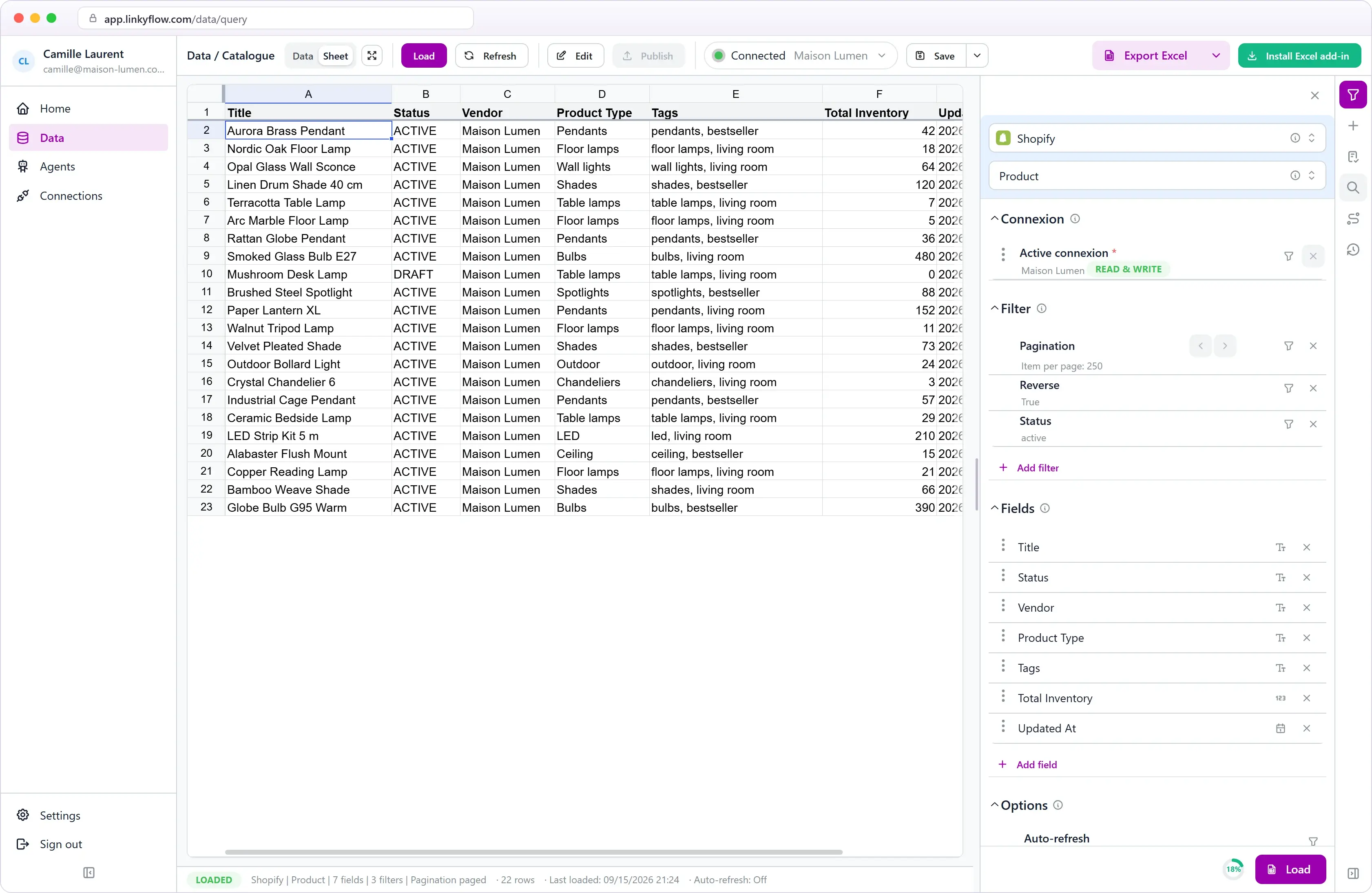
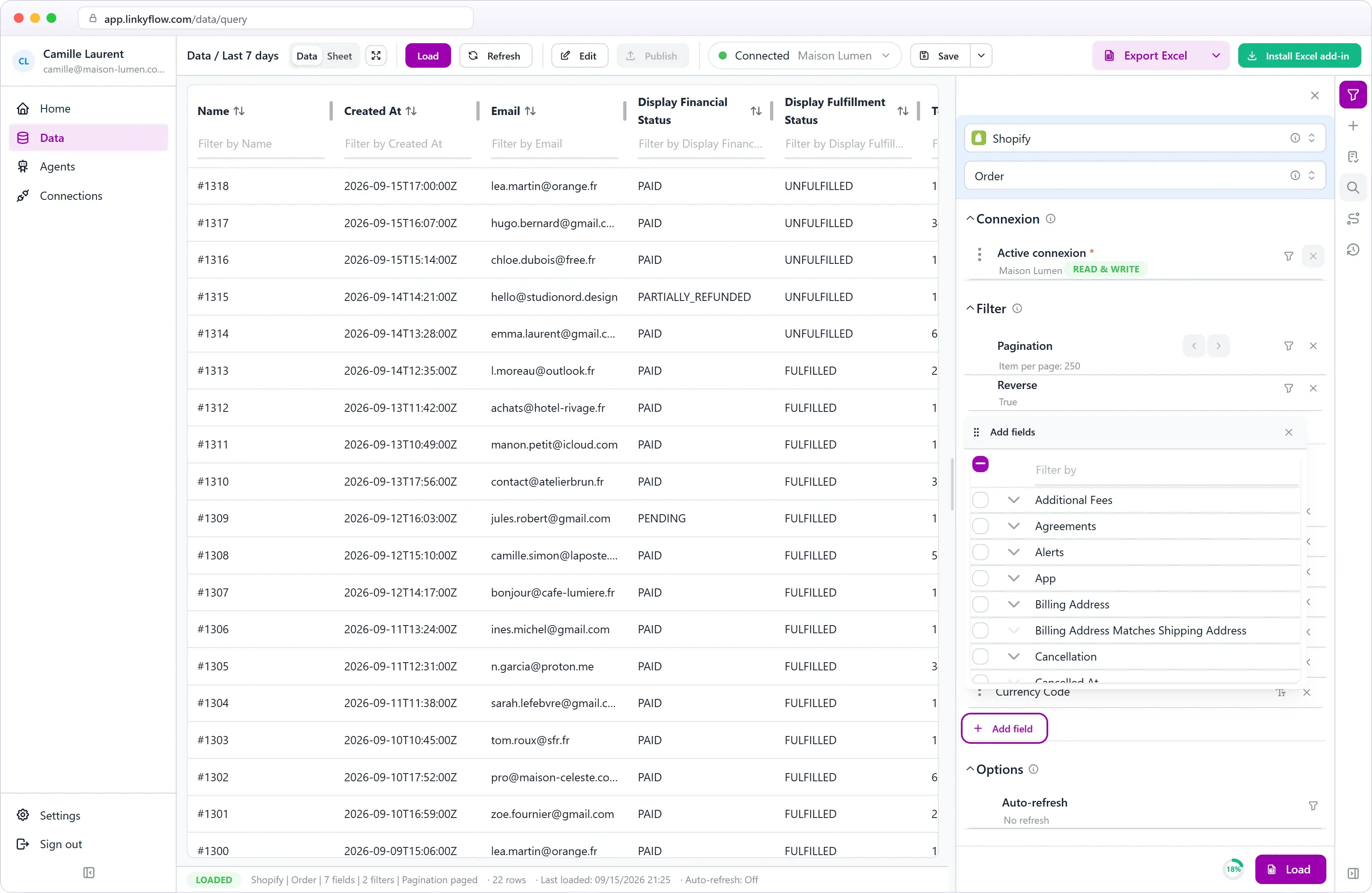
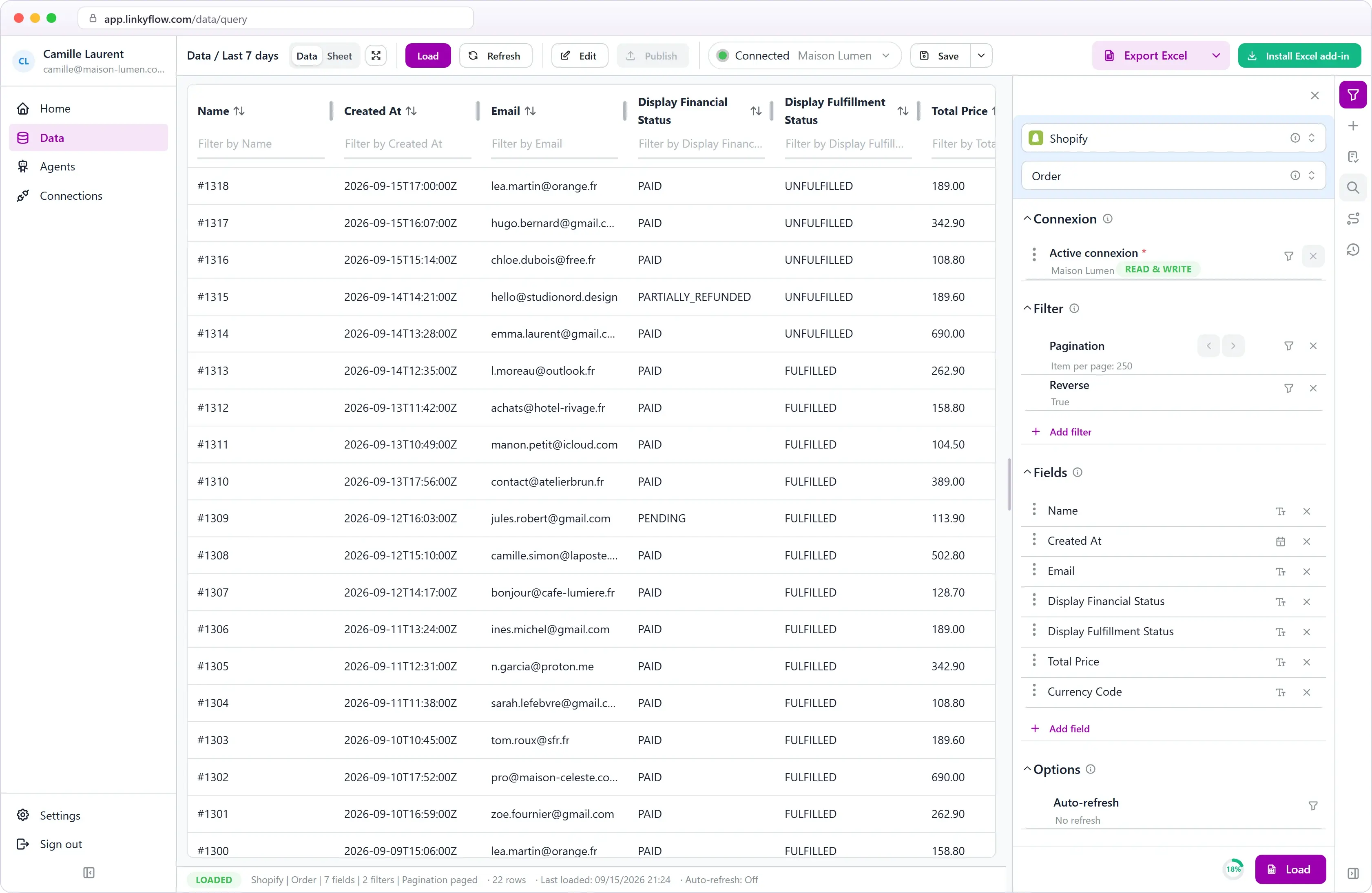
Products, variants, prices, inventory, metafields, collections, orders, customers, and sales channels — all available as Excel queries.
Can ShopFlow publish bulk updates to Shopify?
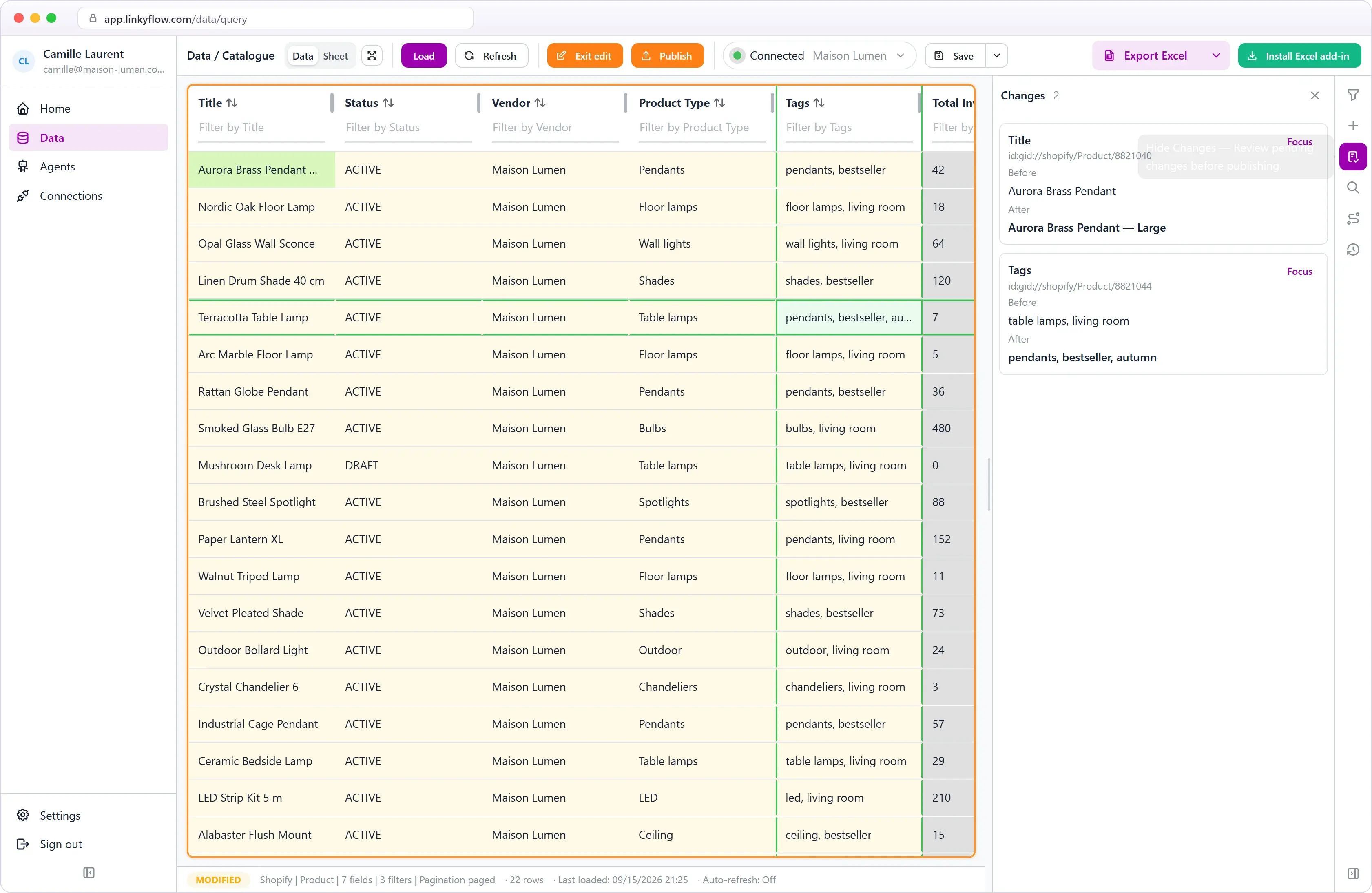
Yes. Prepare changes in Excel rows, review inline validation feedback, and publish supported updates back to Shopify.
Is ShopFlow only for technical teams?
No. It is designed for product managers, catalog ops, and ecommerce teams who already use Excel to prepare catalog and inventory work.
Does it work with large catalogs?
Yes. Pagination and filtering let you load exactly the slice of data you need — products by status, orders by date range, inventory by location.

 Shopify
 Stripe