
TikTok Shop. Your shop, in Excel or on the web.
Load your TikTok Shop products and SKUs with their prices, the stock of each SKU in each warehouse, your promotions, your orders with their packages, cancellations and returns, and your settlement statements and payments into Excel or the web app. Authorize LinkyFlow’s TikTok Shop app in Seller Center, with no key to copy. It writes only what you ask: a price, a stock level, a shipment, a decision on a cancellation or a return.
20
TikTok Shop reads available
Excel + Web
the same live tables in both
1
connection for every shop the seller authorized
TIKTOK SHOP RESOURCES
Your seller account. One workbook.
Catalogue, stock, orders, after-sales and settlements — read from TikTok Shop’s Seller API and kept connected to your sheet.
WHAT YOU CAN DO
From the Seller Center export to a live shop.
No more exporting products, orders or statements to rework them in a spreadsheet: LinkyFlow reads TikTok Shop’s Seller API and keeps the sheet connected to your shops.
CATALOGUE AND STOCK
Every product, its SKUs, their prices and their stock by warehouse
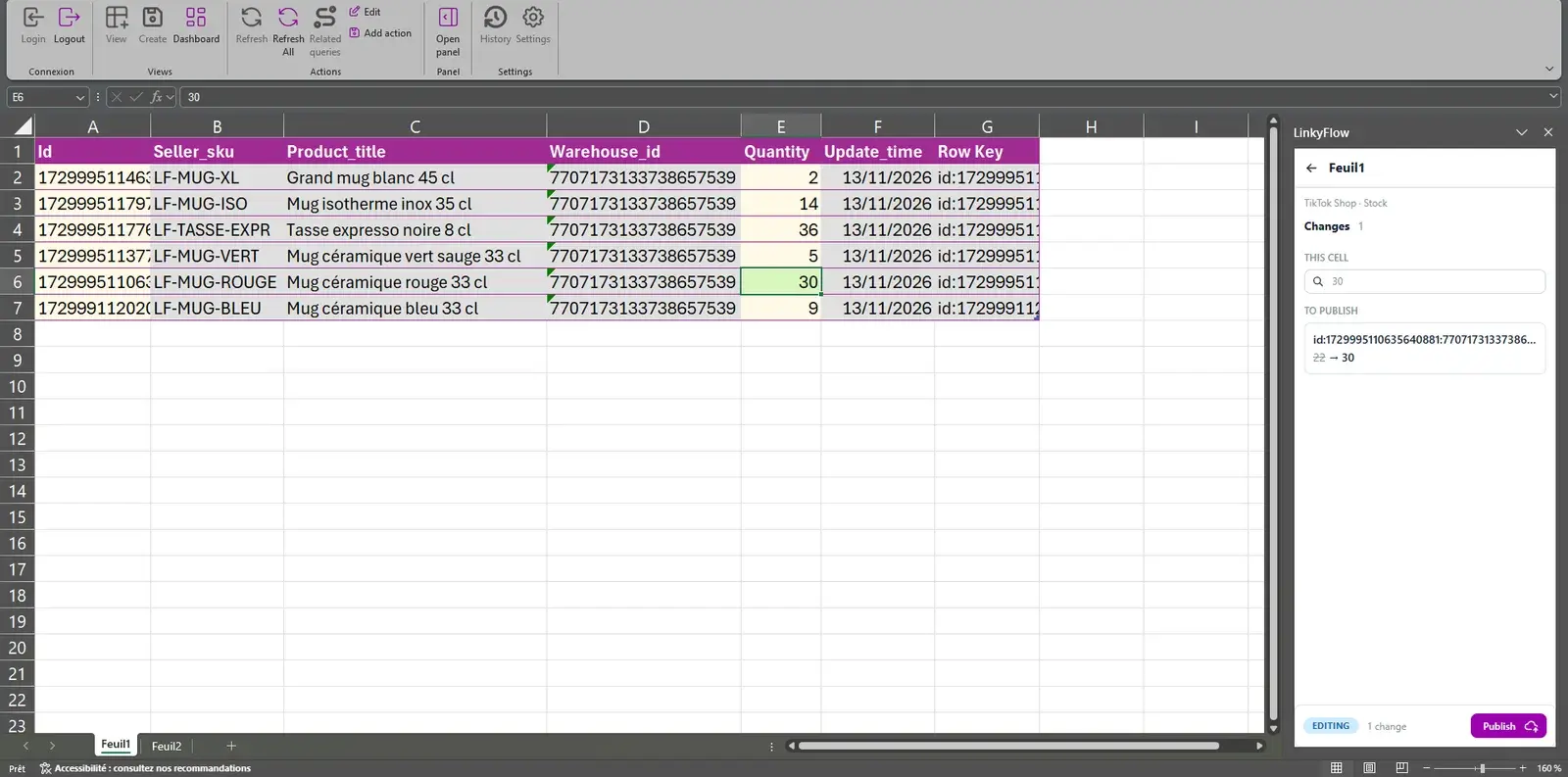
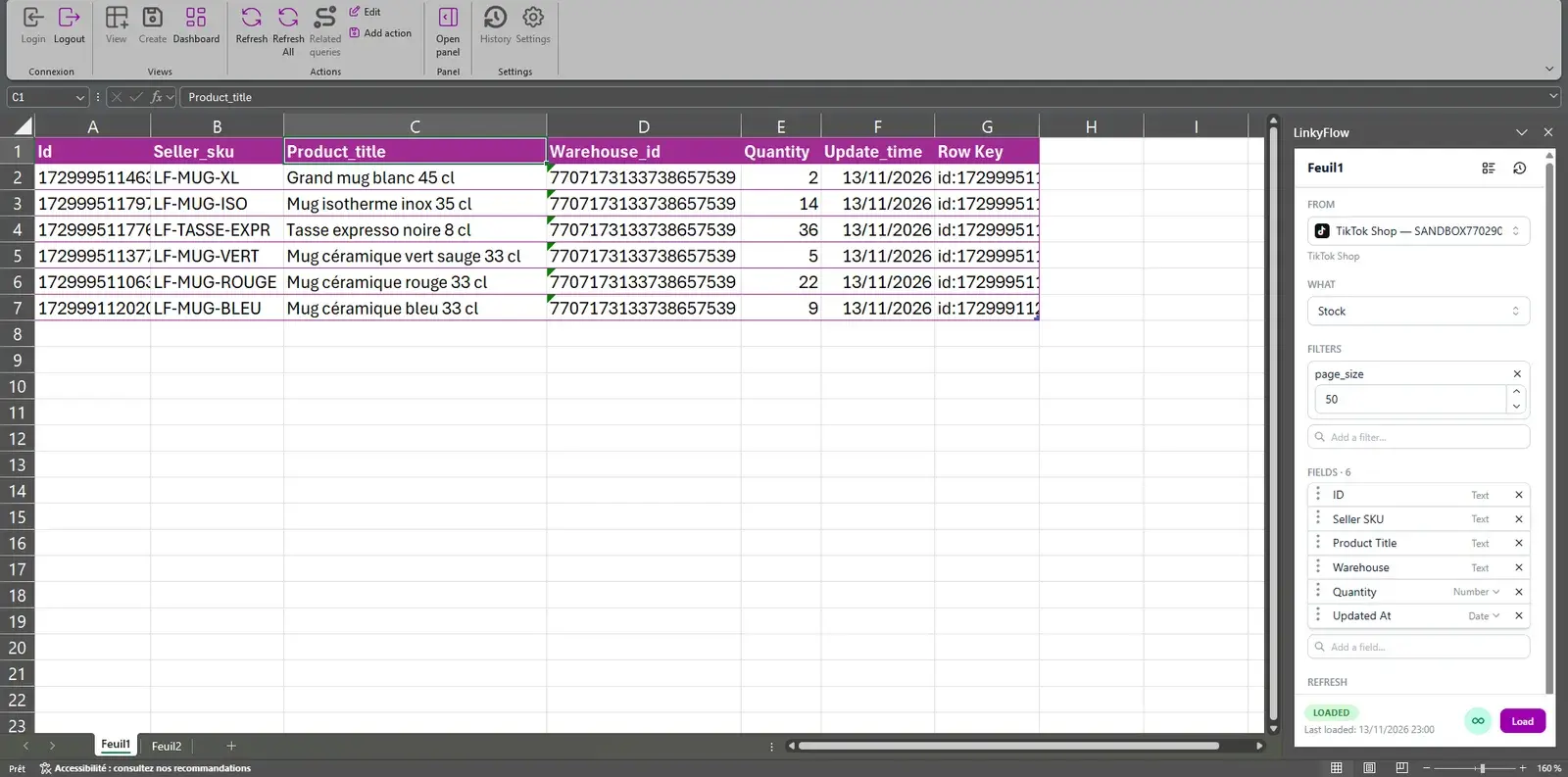
Load your products with their status and audit, the SKUs that carry each seller SKU and price, and the stock of each SKU in each warehouse. Set a price, set a stock level in one warehouse, or put a product on or off sale, from the Actions pane.
ORDERS AND AFTER-SALES
Orders, packages, cancellations and returns
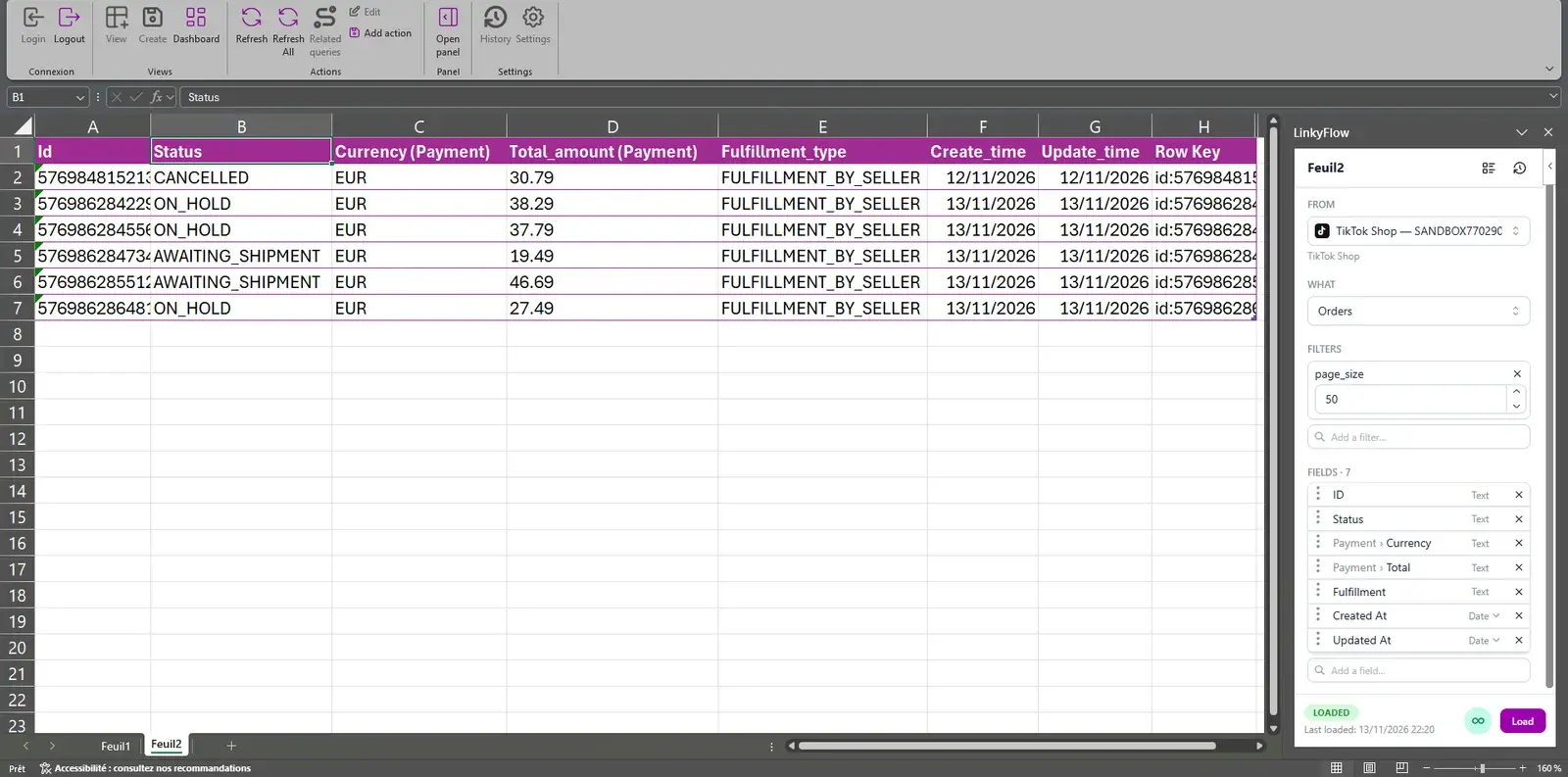
Load your orders with their status, total and fulfillment type, one line per unit sold, then their packages, and the cancellations and returns buyers ask for. Mark an order shipped, ship a package, cancel an order, or approve or reject a request, from the Actions pane.
SETTLEMENTS
What TikTok Shop settles, and what it pays you
Load your settlement statements with their revenue, fees and settled amount, what each order settles SKU by SKU, the payments to your bank account and the movements of your balance — exact decimals, in their currency.
3 STEPS · INSTANT SETUP
From install to first export.
STEP 01
~1 min
Open LinkyFlow
Sign in to the LinkyFlow web app, or install the free add-in from AppSource and open it in Excel.
STEP 02
~1 min
Connect TikTok Shop
Click Connect with TikTok Shop: TikTok Shop opens the authorization page of LinkyFlow’s app. Sign in to Seller Center and approve the permissions it lists; TikTok Shop brings you back to LinkyFlow. There is no key to copy. LinkyFlow’s TikTok Shop app is in TikTok’s review: TikTok Shop joins your connections once TikTok publishes it.
STEP 03
~30 s
Load and work
Pick Products or Orders, load — then filter and add your formulas in the same sheet.
Your TikTok Shop. Your spreadsheet.
Connect your seller account and work on its catalogue, stock, orders and settlements in Excel or on the web.
Frequently asked questions
What TikTok Shop data can LinkyFlow access?
Twenty reads: your shops and warehouses, categories and brands, products, SKUs with their prices, the stock of each SKU in each warehouse and what open orders hold of it, promotions, orders and what you may still do on each, packages, cancellations, returns and the reasons to refuse them, settlement statements and their transactions, what each order settles SKU by SKU, payments and balance movements.
Can LinkyFlow write to TikTok Shop?
Yes, when you ask it to, from the Actions pane of Excel or the web app: set a SKU’s price or its stock in one warehouse, activate or deactivate a product, deactivate a promotion, cancel an order, mark an order shipped, ship a package, and approve or reject a cancellation or a return. Each action is offered only while the record allows it, and checked again before the write. Products are never created or deleted.
What do I need to connect?
A TikTok Shop seller account and your Seller Center login. Click Connect with TikTok Shop, sign in to Seller Center and approve the permissions LinkyFlow’s app asks for. There is no key to copy, and LinkyFlow renews its access by itself. LinkyFlow’s TikTok Shop app is in TikTok’s review: until TikTok publishes it, TikTok Shop is not offered among your connections yet.
I sell in several markets. Do I need several connections?
No. A connection is your seller authorization, and it covers every shop you authorized: one for a local seller, one per market for a cross-border seller. Each query and each action names its shop, or reads the connection’s first shop when you leave it empty. France comes first, then any TikTok Shop market LinkyFlow’s app is approved for.
How are amounts shown?
As TikTok Shop states them: an exact decimal, such as 12.50, beside the currency of its record. The dashboards read it as a number whatever your Excel locale, and never add two currencies together. Moments are Unix times, in seconds.
Do LinkyFlow’s agents work with TikTok Shop?
Inventory Stock Sync keeps stock aligned with TikTok Shop as the master or as a target, one warehouse at a time, and Price Sync keeps a SKU’s price aligned with it as the master or as a target. Omnichannel Sales reads TikTok Shop as a sales channel, its orders taking stock off your master, but cannot keep its stock as the master: TikTok Shop offers no relative stock adjustment. The agents read TikTok Shop on their schedule; they do not wait for a webhook.
Can ChatGPT or Claude work with my TikTok Shop?
Yes: through MCP they read every table with the same connection. Cancelling an order and approving a cancellation or a return lead to a refund, so they are never run from a chat. The other actions are shown to you first and run only once you confirm, except price and stock changes, which are not offered to them: they stay in Excel and the web app.
How do I end LinkyFlow’s access?
In Seller Center: App Store → My apps and incidents, then cancel LinkyFlow’s authorization. TikTok Shop gives an app no way to end an authorization itself, so deleting the connection in LinkyFlow leaves the authorization in place until you cancel it there.